
Ubuntu 26.04, HDMI, and HDR color
I upgraded one of my desktops to Ubuntu 26.04 and my second monitor stopped working. It got stuck in "no signal" mode. It was working fine in Ubuntu 25.10, and the OS still detected that a monitor was there.
The monitor is an Acer V277U and the GPU is an old AMD RX 580, and I've had problems with it being glitchy at 75Hz in Windows, so I tried 60Hz. But that didn't change anything.
Looking online, I saw a suggestion to try a lower resolution, which worked. Native resolution is 2560x1440 and going down to 1920x1080 brought it back online.
I remember manually setting modelines in XF86Config back in the VGA days, and I don't want to go back to doing that.
Talking with AI, it suggested the problem might be HDMI bandwidth. The monitor claims it is in HDMI 2.0 (14.4 Gbit/s) mode, which should be plenty as 2560x1440@75Hz support was added in HDMI 1.3 (8.16 Gbit/s).
AI suggested a bunch of different things to try, from digging around /sys/kernel/debug/dri/1/HDMI-A-1/output_bpc (which had "Maximum: 12"), trying to set force_yuv420_output in that same directory, trying to set the bit depth via proptest -M amdgpu, and setting the mode directly via kernel parameter video=HDMI-A-1:2560x1440-24@60
None of those things worked.
The last thing, however was to really dig into the guts of things:
Extract the current EDID value cat /sys/class/drm/card*-HDMI-A-1/edid > ~/monitor_edid.bin, install a tool to edit it sudo apt install wxedid
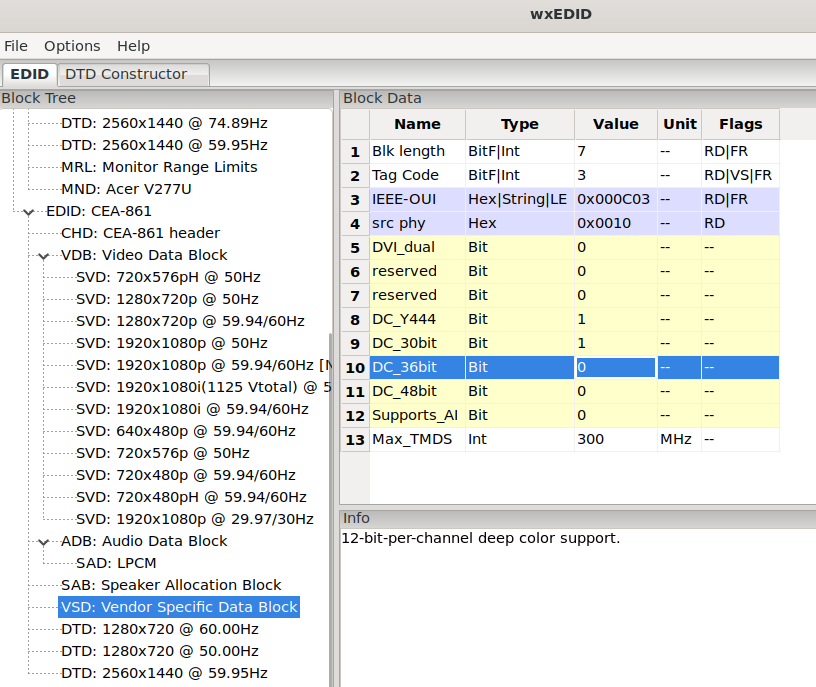
Go into the sections "EDID: CEA-861" then "VSD: Vendor Specific Data Block" and set the DC_XXbit values to 0:
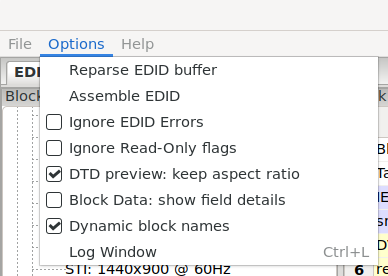
After that, recalculate the checksums with Options > Assemble EDID
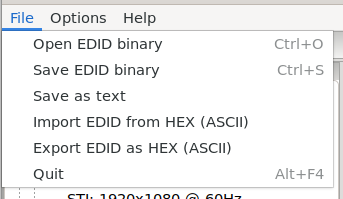
And then Save EDID binary
Create the directory /lib/firmware/edid, and put that patched EDID in /lib/firmware/edid/patched_edid.bin
Lastly, edit /etc/default/grub and this at the end of your GRUB_CMDLINE_LINUX_DEFAULT : drm.edid_firmware=HDMI-A-1:edid/patched_edid.bin
sudo update-grub and reboot
This let me set the screen to 2560x1440 again.
I notice now that the Max_TMDS is set to 300 MHz in that EDID, which can support 7.2 Gbit/s (300MHz * 30 bits/clock * 80% after overhead = 7200 Mbit/s). This is exactly what 2560x1440 needs at 74.99Hz, and should just barely support 10 bits per color at 59.95Hz refresh. But 12 bits+ per color are too much for this link. And I guess it just silently fails when the OS requests a mode that isn't achievable.
Hope this helps someone with a monitor stuck in no signal mode
Questions? Comments? Contact information