
Porting software to a PDP11
I've been playing around with a PDP11 emulator lately to explore the history of Unix. Since development of the original version of Unix and later 2BSD happened on this hardware, I wanted to better understand the limitations of this hardware and see what "modern" software could still run on it.
The PDP11 can address 16 bits of memory. This limits it to handling 64KB at a time. Splitting instructions and data into different segments doubles the space to 128KB, and overlays allow the code to be larger than 64KB by swapping parts in and out.
Most software written since 1995 (or 1986, or 1977) assumes it has the luxury of a 32 or 64 bit address space and can use all that memory at the same time. Porting such software requires addressing the assumptions it makes about memory, removing features, and possibly redesigning major parts of the application.
Let's start with a simple application that should mostly work with some minor tweaks - the text editor pico, which was originally from 1989. That same year the 25MHz i486 came out, and PCs would have had 1-4MB of ram. The PDP-11 would have been pretty out of date by then, but it was available for sale until it was discontinued in 1997.
Since pico is part of the pine source, I'll use pine version 3.91 from 1994 as my starting point.
Data transfer
First challenge is getting the file onto the simulated PDP-11. I could use uucp to copy it over the serial port, but that's running at 9600 baud. 2.11BSD does not have gunzip, only uncompress. If I decompress the file first with gunzip before transferring, that's 6MB at 1.2KB/s or 84 minutes. A common way of moving data between systems at that time was to use a tape drive (device TQ), so let's use the emulated one.
[Ctrl-E to stop the emulator and get the command prompt]
Simulation stopped, PC: 005310 (MOV (SP)+,177776)
sim> show tq
TQ      TK50 (94MB), address=17774500-17774503, vector=260, BR5, 4 units
  TQ0   not attached, write enabled, UNIT=0
        SIMH format, capacity=98MB
  TQ1   not attached, write enabled, UNIT=1
        SIMH format, capacity=98MB
  TQ2   not attached, write enabled, UNIT=2
        SIMH format, capacity=98MB
  TQ3   not attached, write enabled, UNIT=3
        SIMH format, capacity=98MB
sim> att -R tq0 -F TAR pine-3.91.tar
%SIM-INFO: TQ0: Tape Image 'pine-3.91.tar' scanned as TAR format
sim> cont
By default, the tar program extracts from this tape drive:
root@pdp11:/home/user/src/pine# tar xv
x pine3.91/README, 1037 bytes, 3 tape blocks
x pine3.91/build, 7655 bytes, 15 tape blocks
x pine3.91/contrib/aux.port/aux.diff, 81483 bytes, 160 tape blocks
x pine3.91/contrib/aux.port/README, 227 bytes, 1 tape blocks
...
Build
Then change to the pico directory and start the build
root@pdp11:/home/user/src/pine# cd pine3.91/pico
root@pdp11:/home/user/src/pine/pine3.91/pico# make -f makefile.bsd
rm -f osdep.c
cp os_unix.c osdep.c
rm -f osdep.h
cp os_unix.h osdep.h
cc -c -Dbsd -DJOB_CONTROL -g attach.c
[...]
ar ru libpico.a attach.o ansi.o basic.o bind.o browse.o buffer.o  composer.o display.o file.o fileio.o line.o osdep.o  pico.o random.o region.o search.o spell.o tcap.o window.o word.o
ar: creating archive libpico.a.
ranlib libpico.a
cc -Dbsd -DJOB_CONTROL main.c libpico.a -ltermcap -lc -o pico
ld:libpico.a(browse.o): text overflow
*** Exit 4

Stop.
Fix: overlays
Here we run into our first problem: "text overflow" means we are over 64KB of code. Using a short awk program to summarize the text, data, and bss sizes. "Text" is the code, data are variables initialized with a specific value, and bss are variables initialized with 0. With the instruction/data split mentioned above, the text gets loaded as instructions and data+bss are loaded as data. Data also needs to share space with memory allocated at runtime (stack as well as heap).
root@pdp11:/home/user/src/pine/pine3.91/pico# size *.o | awk '{t += $1; d += $2; b += $3} END { print t,d,b }'
65780 16322 116
65KB of text is close, let's use the mkovmake utility to make an overlay configuration. Overlays swap part of the app's instructions in and out of memory as they are needed. There are the base instructions that are always available, and each overlay is loaded one at a time. When the base calls an overlay that isn't loaded, normal execution is paused to swap out which overlay is active with disk io. This means that overlays can call themselves and the base, the base can call itself and any overlay, but one overlay can't call another overlay.
In order to make an overlay, we also need an object file for main.c
root@pdp11:/home/user/src/pine/pine3.91/pico# cc -Dbsd -DJOB_CONTROL -c main.c
root@pdp11:/home/user/src/pine/pine3.91/pico# mkovmake -O2 -o pico -f mkov *.o -ltermcap
root@pdp11:/home/user/src/pine/pine3.91/pico# make -f mkov
/bin/ld -i -X -o pico /lib/crt0.o  ansi.o attach.o basic.o bind.o buffer.o file.o fileio.o  line.o main.o pico.o random.o region.o search.o spell.o  tcap.o window.o word.o   -Z browse.o osdep.o  -Z composer.o  -Z display.o   -Y -ltermcap -lc
Undefined:
_sys_nerr
_sys_errlist
*** Exit 1

Stop.
Fix: strerror
Ok, we're just missing two symbols and looking at the code it's trying to re-implement strerror. Let's just use that function instead:
root@pdp11:/home/user/src/pine/pine3.91/pico# diff os_unix.c osdep.c
943,946c943
<     extern char *sys_errlist[];
<     extern int  sys_nerr;
<
<     return((err >= 0 && err < sys_nerr) ? sys_errlist[err] : NULL);
---
>     return strerror(err);
Then we can recompile and get a copy of pico:
root@pdp11:/home/user/src/pine/pine3.91/pico# make -f makefile.bsd
cc -c -Dbsd -DJOB_CONTROL -g osdep.c
ar ru libpico.a attach.o ansi.o basic.o bind.o browse.o buffer.o  composer.o display.o file.o fileio.o line.o osdep.o  pico.o random.o region.o search.o spell.o tcap.o window.o word.o
ranlib libpico.a
cc -Dbsd -DJOB_CONTROL main.c libpico.a -ltermcap -lc -o pico
ld:libpico.a(browse.o): text overflow
*** Exit 4

Stop.
root@pdp11:/home/user/src/pine/pine3.91/pico# rm pico
root@pdp11:/home/user/src/pine/pine3.91/pico# make -f mkov
/bin/ld -i -X -o pico /lib/crt0.o  ansi.o attach.o basic.o bind.o buffer.o file.o fileio.o  line.o main.o pico.o random.o region.o search.o spell.o  tcap.o window.o word.o   -Z browse.o osdep.o  -Z composer.o  -Z display.o   -Y -ltermcap -lc
root@pdp11:/home/user/src/pine/pine3.91/pico# size pico
text    data    bss     dec     hex
46720   17760   1314    65794   10102   total text: 84224
        overlays: 14144,12992,10368
Success!
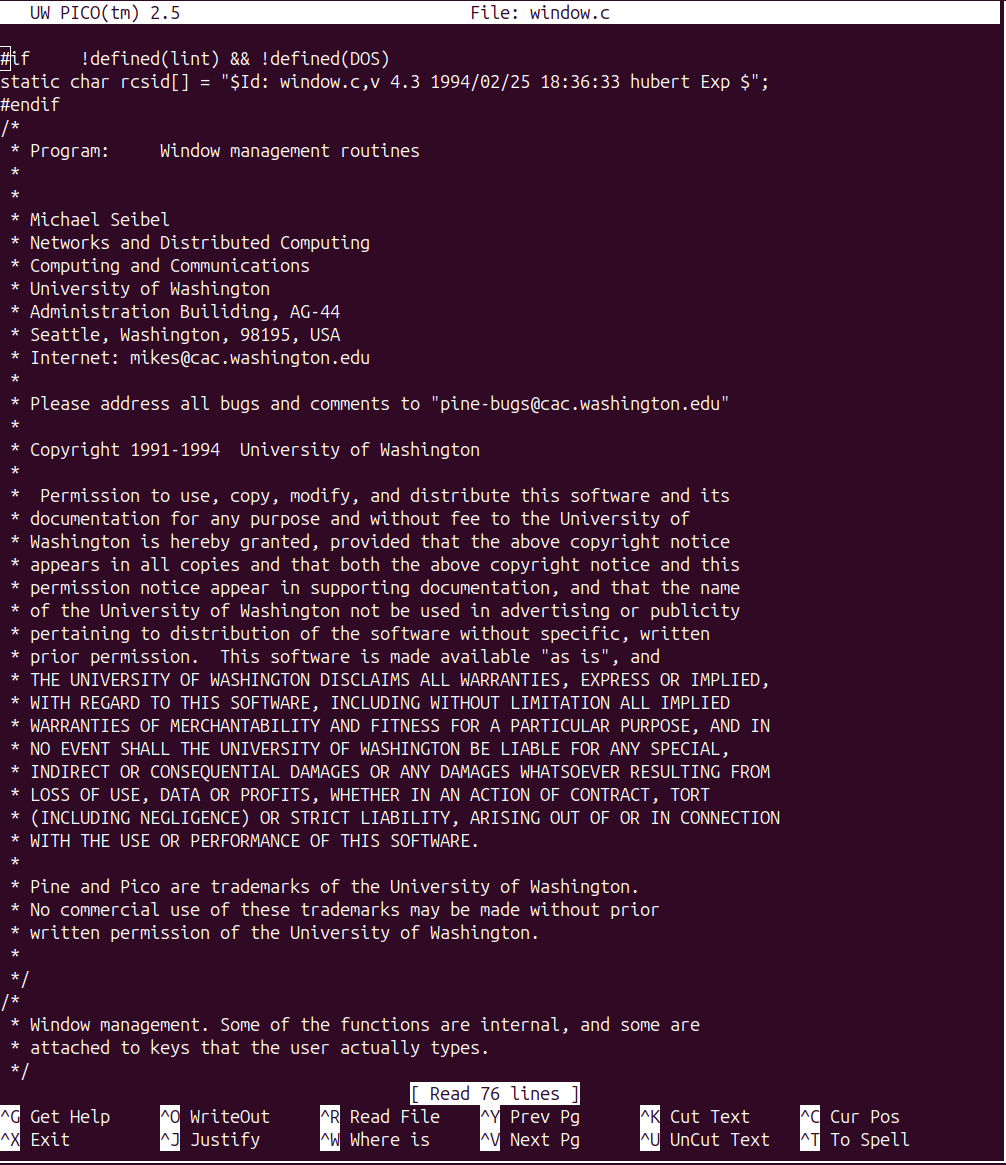
Now I can edit files:
Memory constraints
With my terminal sized as 50 rows and 100 columns, it fails on files larger than about 4KB with the message [ Cannot allocate 80 bytes ]
It also gets upset if I set my terminal to its full size using stty rows 58 columns 224 with the error [ Allocating memory for physical display lines failed. ]
This is because the data+bss+stack+heap are very close to the 64KB limit. To keep track of 58 rows * 224 columns, pico would need an additional 13KB of memory which it does not have.
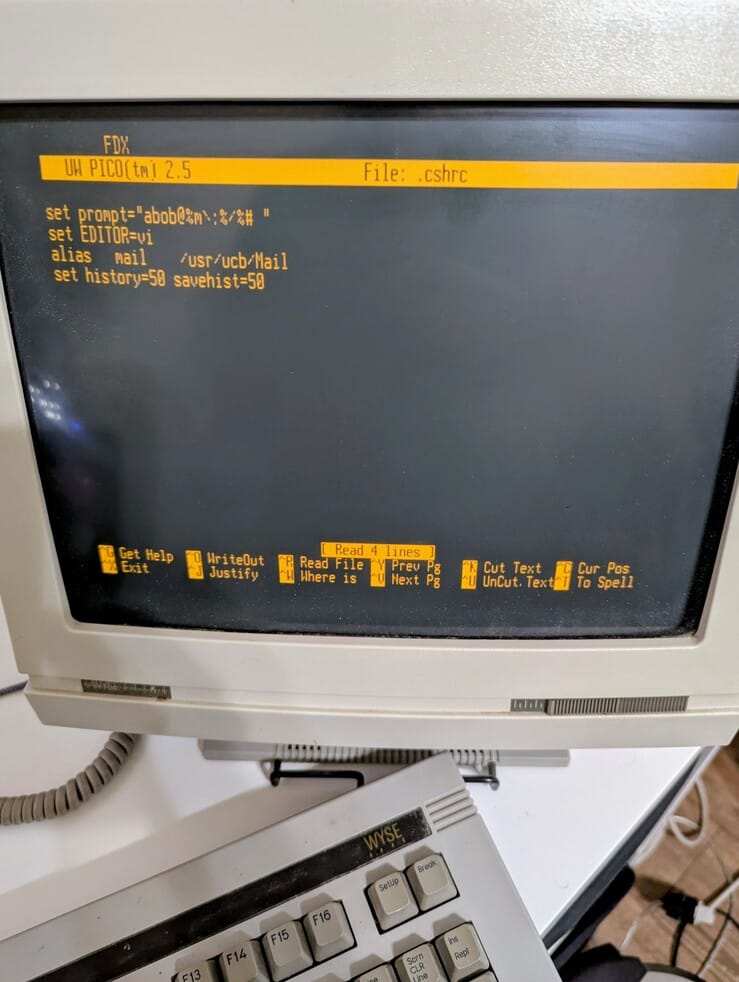
Lowering the terminal to 25x80 to run it on a wy-60 serial terminal gives it a few more KB of memory, and it can load files around 8KB in size.
Conclusion
In a world that wouldn't think twice about a 65KB binary or a 13KB buffer, working with the PDP11 is a reminder that things weren't always this way. It may feel claustrophobic by today's standards, but that makes it an interesting technical puzzle to solve.
This post should contain all the information needed to recreate this on your own emulated hardware. I'd be interested in any reports of other people trying to get pico running on their hardware.
Questions? Comments? Contact information